The Problem
You ask Claude to build a dashboard. It does an excellent job — charts, metrics, clean layout. But now you need to share it with your team or a client.
Your options used to be: screenshot it (lossy), export the HTML and email it (clunky), or deploy it somewhere (overkill for a quick share).
The Fix: /share
With the sharable.link skill installed, you just type /share after Claude creates your dashboard. That's it.
Claude reads the HTML file, publishes it to a unique URL, and gives you a clean link like sharable.link/a1b2c3d4. Anyone can open it in their browser — no account needed.
Step by Step
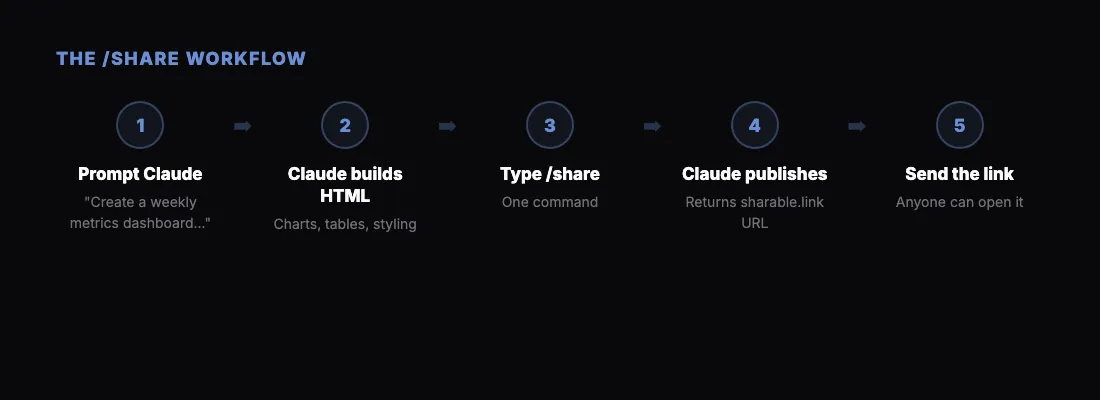
Here's the full workflow:
- Ask Claude to build your dashboard: "Create a weekly metrics dashboard showing revenue, users, and churn for the last 6 months."
- Claude creates the HTML file with charts, tables, and styling.
- Type
/sharein the chat.
- Claude publishes it and returns your link.
- Send the link to anyone.
Password Protection
If your dashboard contains sensitive data, you can password-protect it. Just say "share this with a password" and Claude will ask you to set one.
The recipient sees a clean password form. After entering the correct password, the dashboard loads. No accounts, no friction.
What Works Best
The /share command works with any HTML output Claude creates:
- Dashboards — metrics, charts, KPIs
- Reports — market research, competitive analysis
- Landing pages — drafts for review
- Interactive tools — calculators, forms, prototypes
Basically: if Claude made it as HTML, you can share it.
Get Started
- Add the Claude connector — one click from the Claude Directory
- Sign in with Google or Microsoft when Claude asks, then approve the permissions
- Ask Claude to build something, then ask it to share the result as a link
That's the whole setup. Takes about 30 seconds. Prefer a file you upload yourself? The /share skill does the same job.