The Workflow
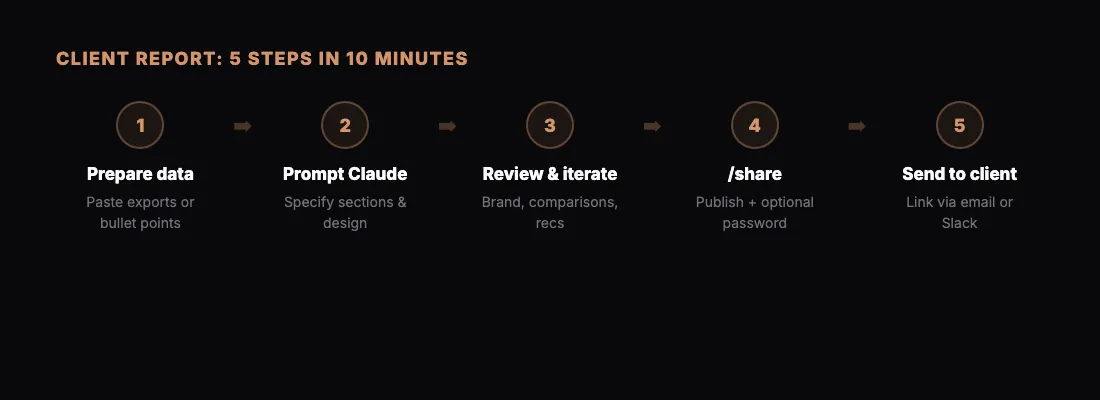
This is a workflow we use at BotsCrew for client deliverables. It takes about 10 minutes from start to shared link.
Step 1: Prepare Your Data
Paste your data into Claude — spreadsheet exports, API responses, or just bullet points. Claude works with whatever format you have.
Step 2: Ask Claude to Build the Report
Be specific about what you want:
"Create an HTML report showing this month's performance data. Include a summary section with key metrics, a trends chart, and a detailed breakdown table. Use a clean, professional design."
Claude will create a complete HTML page with styling, charts, and formatting.
Step 3: Review and Iterate
Look at what Claude created. Ask for changes:
- "Make the chart colors match our brand"
- "Add a section comparing this month to last month"
- "Include a recommendation section at the bottom"
Each iteration takes seconds.
Step 4: Share It
Type /share and Claude publishes the report. You get a link like sharable.link/abc123.
For client-facing reports, add password protection: "Share this with a password."
Step 5: Send to the Client
Send the link via email, Slack, or wherever you communicate. The client opens it in their browser — no downloads, no account needed.
Why This Works
- Speed — 10 minutes vs. hours in Google Slides
- Quality — Claude creates better layouts than most people do manually
- Iteration — changes are instant, not a redesign project
- Delivery — one clean link, not an email attachment
Tips
- Save your best prompts. Reuse them next month with new data.
- Use password protection for anything with real client numbers.
- Create a template prompt that includes your preferred styling and sections.